Fill your schedule and ditch the notebook.
Online booking, WhatsApp reminders and a per-branch calendar. Your clients book themselves and you start the day ready.


Fill your calendar and stop losing appointments to no-shows: your clients book online from a link, get WhatsApp reminders so they don't miss it, and you run a per-branch appointment calendar. Every appointment flows into the point of sale (POS) to charge and, when you're ready, invoice with FEL. Appointment and scheduling system for salons, spas and clinics in Guatemala.
What's included
Online booking
Clients book from a link, any hour, without calling or texting you.
WhatsApp reminders
Cuadra confirms the appointment and reminds them the day before. Fewer no-shows, hands-free.
Per-branch calendar
Each staff member sees their day; you see the whole business on one screen.
Waitlist
When someone cancels, the next person on the list takes the slot.
Hours and services
Set hours, breaks and the length of each service per person.
From booking to payment
When it ends, the appointment moves to the point of sale, ready to charge and invoice.
Two services, two professionals, one shorter visit
If Andrea does the manicure and Lucía does the haircut, your client doesn't have to wait for one to finish before the other starts. Pick who does each service, set them to run at the same time, and the appointment lasts as long as the longest one. If the same person does both, they simply run one after the other.
See how it works, step by step (Spanish)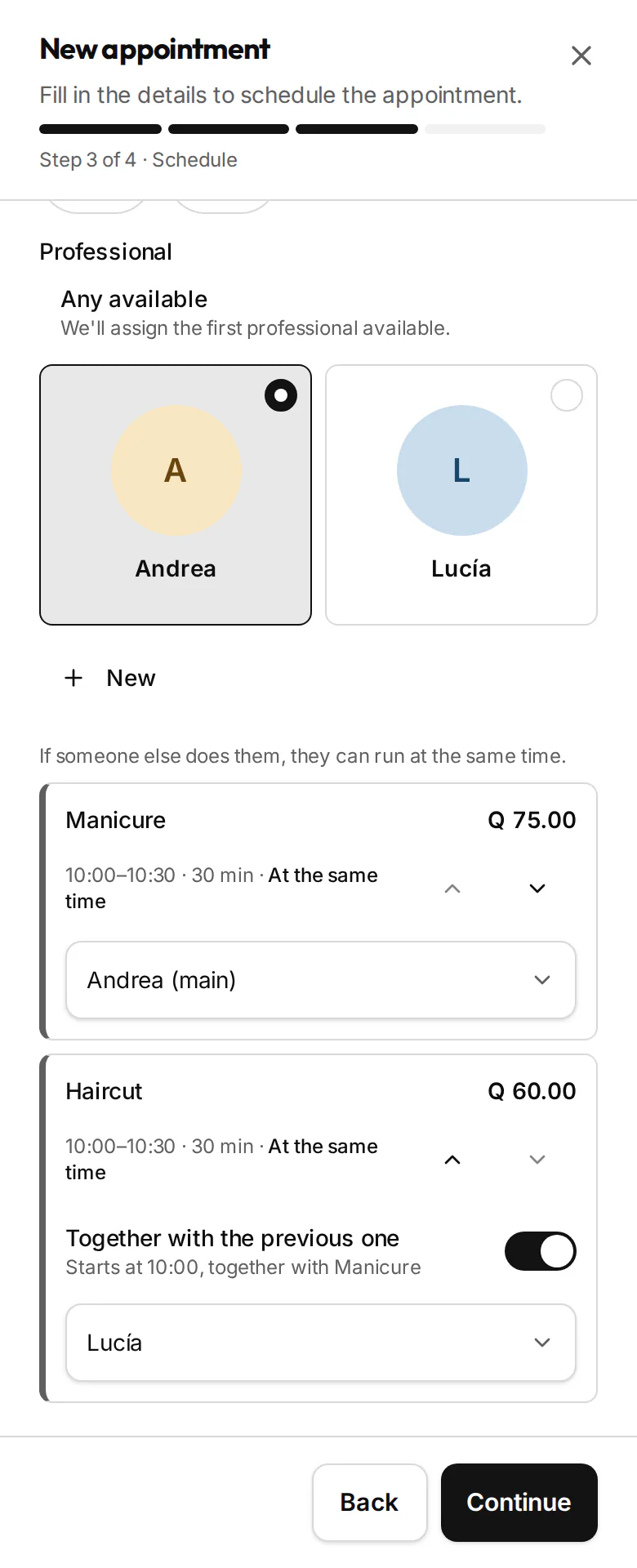
Each service with its own professional, starting together 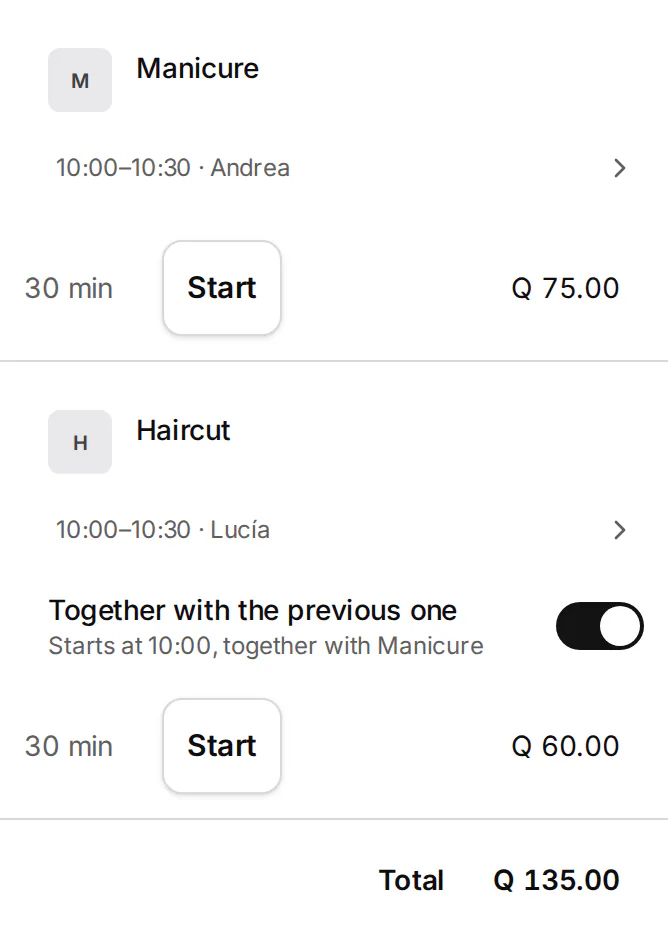
On the appointment, each service on its own card, with a switch to join or split them
How it works
- 01
Share your link
Put it in your Instagram bio, your WhatsApp, or wherever clients find you.
- 02
The client picks
They see only the slots that are actually free and book in seconds.
- 03
The day arrives
The reminder already went out, the schedule is set, and you charge in one tap.
Why it helps
- Fewer no-shows: the WhatsApp reminder confirms the appointment the day before.
- No double bookings: the calendar blocks the slot the moment it is taken.
- More bookings: clients schedule at 11pm, long after you have closed.
Common questions
Do my clients have to install an app?
No. They book from a link in the browser, on their phone or computer.Does it work if I have more than one branch?
Yes. Each branch has its own calendar and hours, and you see them all together on one screen.Can I charge when the appointment ends?
Yes. The appointment moves to the point of sale in one tap, ready to charge and invoice with FEL.
Explore more features
Learn to use it (guides in Spanish)
See what you made today
Try Pro for 14 days with no card and no NIT. Take your first sale today and see your numbers at close. Invoice with FEL only when you're ready.
14 days of Pro · No card